> ## Documentation Index
> Fetch the complete documentation index at: https://bunnynet-cb9733c2-add-new-partner-apis.mintlify.site/llms.txt
> Use this file to discover all available pages before exploring further.
# Secrets
> Environment secrets are sensitive configuration settings, such as API keys, passwords, or tokens, that are securely stored and used by your script.
Environment secrets hold sensitive configuration values, such as API keys, passwords, or tokens. Your script reads them at runtime, so they never have to appear in your source code.
Unlike [environment variables](/scripting/environment-variables), secrets cannot be viewed once they are set. You can only update or delete them, which keeps the value hidden even from people with dashboard access.
## Adding environment secrets
To add a secret to your script:
1. Log in to the [bunny.net dashboard](https://dash.bunny.net/auth/login?pk_buttonlocation=menu).
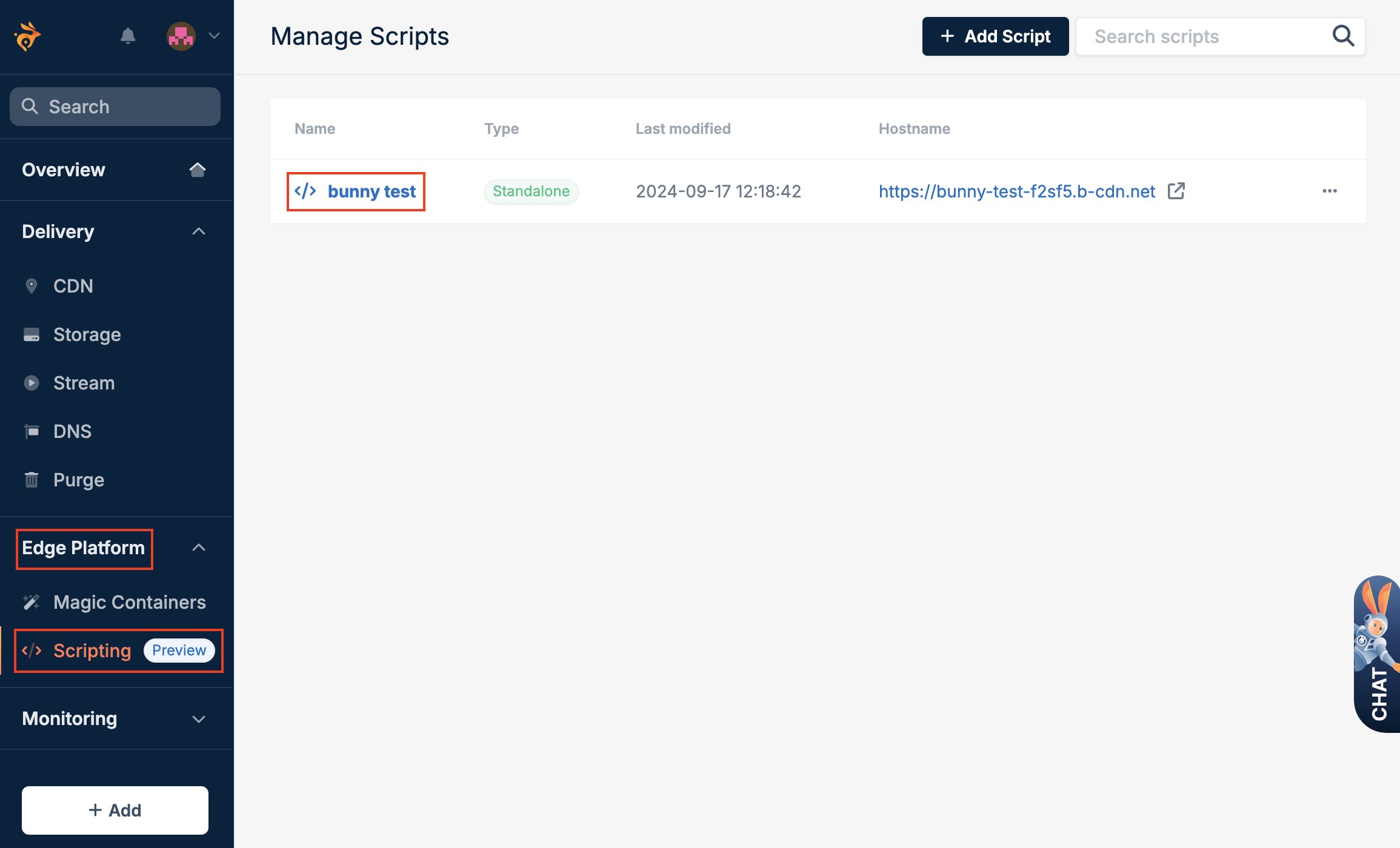
2. Select **Edge Platform**, click on **Scripting**, and select the script.
 3. Select **Env Configuration** and **Environment Secrets**, and fill in the details of the secret you want to create.
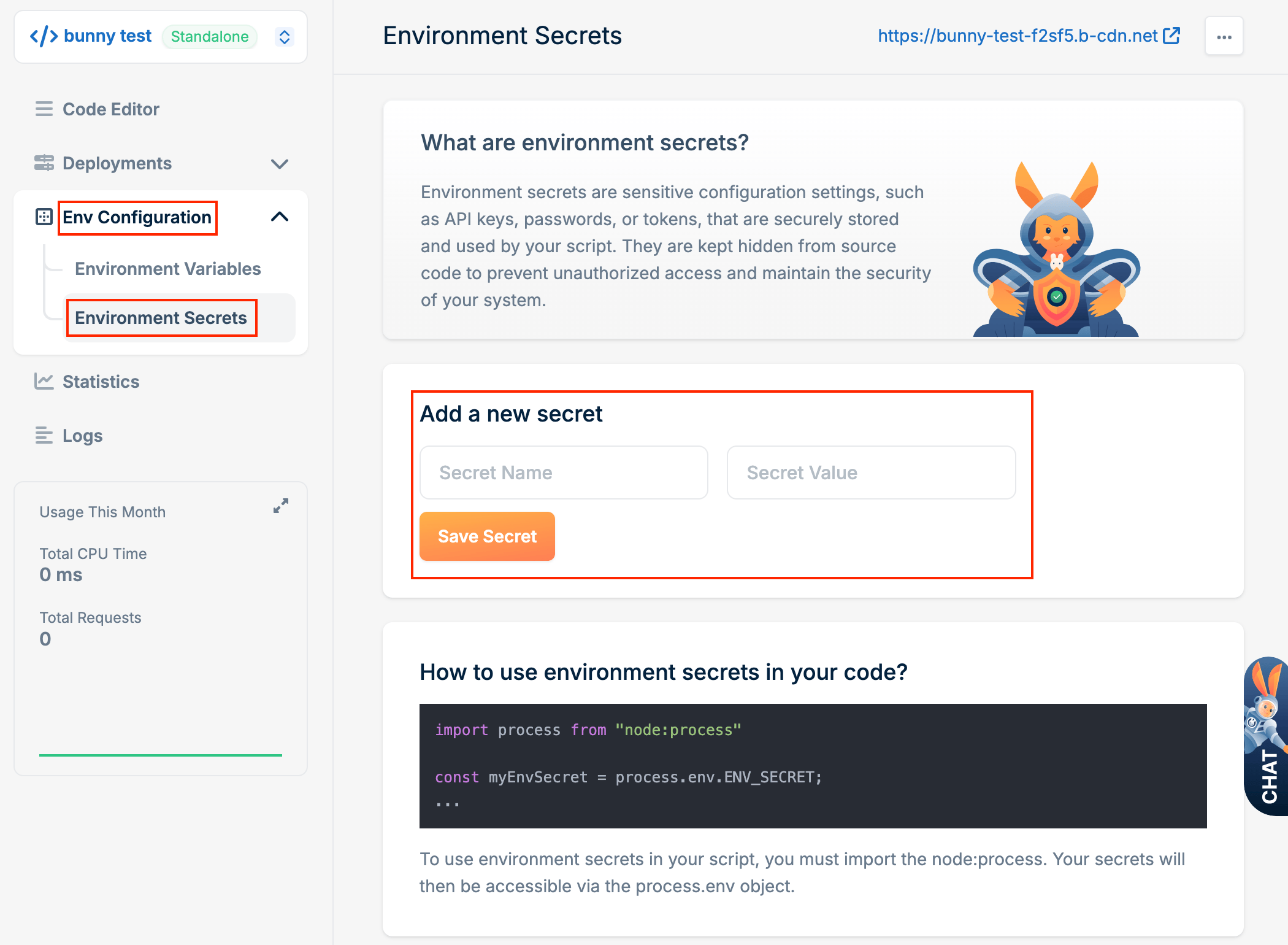 4. Click **Save Secret**.
## Using environment secrets
Environment secrets are accessed in the same way as environment variables, using either the Node.js process module or `Deno.env`.
```javascript theme={null}
import * as BunnySDK from "@bunny.net/edgescript-sdk";
import process from "node:process";
BunnySDK.net.http.serve(async (request: Request): Response | Promise => {
// Load secret named ApiKey
const apiKey = process.env.ApiKey;
// Use the secret in an API request
const response = await fetch("https://api.example.com/data", {
headers: {
"Authorization": `Bearer ${apiKey}`
}
});
return new Response(await response.text());
});
```
You can also use `Deno.env.get()`:
```javascript theme={null}
const apiKey = Deno.env.get("ApiKey");
```
Names of environment variables and secrets on the same script must be unique.
You cannot use the same name for both a variable and a secret.
4. Click **Save Secret**.
## Using environment secrets
Environment secrets are accessed in the same way as environment variables, using either the Node.js process module or `Deno.env`.
```javascript theme={null}
import * as BunnySDK from "@bunny.net/edgescript-sdk";
import process from "node:process";
BunnySDK.net.http.serve(async (request: Request): Response | Promise => {
// Load secret named ApiKey
const apiKey = process.env.ApiKey;
// Use the secret in an API request
const response = await fetch("https://api.example.com/data", {
headers: {
"Authorization": `Bearer ${apiKey}`
}
});
return new Response(await response.text());
});
```
You can also use `Deno.env.get()`:
```javascript theme={null}
const apiKey = Deno.env.get("ApiKey");
```
Names of environment variables and secrets on the same script must be unique.
You cannot use the same name for both a variable and a secret.